

Shipyrd now works with Honeybadger, Rollbar, and AppSignal
Shipyrd started as a Kamal-first tool. You'd add the shipyrd-gem hook to your deploy.yml, and Kamal would ping Shipyrd at the start and end of each deploy.
At the end of the day, though, Shipyrd just needs to know when a deploy went out and a few details about it. In Kamal, that’s via pre-deploy/post-deploy hooks, but you might already be sending deploy markers to your error monitoring tool or metrics platform.
If you’re already tracking deploys with Honeybadger, Rollbar, or AppSignal, it makes connecting Shipyrd even easier through a simple webhook. You don’t even need to modify your application code or add an additional gem/step to your deploy pipeline if you don’t want to.
Setting it up in Shipyrd
In your app's setup page, you'll find tabs for each provider alongside the existing Kamal, cURL, and GitHub Actions options.

Pick the tab for the tool you're already using. Shipyrd generates a unique webhook URL for that app, and then it's a few clicks in your monitoring tool:
AppSignal: App Settings → Notifications → Webhook. Paste the URL, enable the "Deploys" trigger, and save.
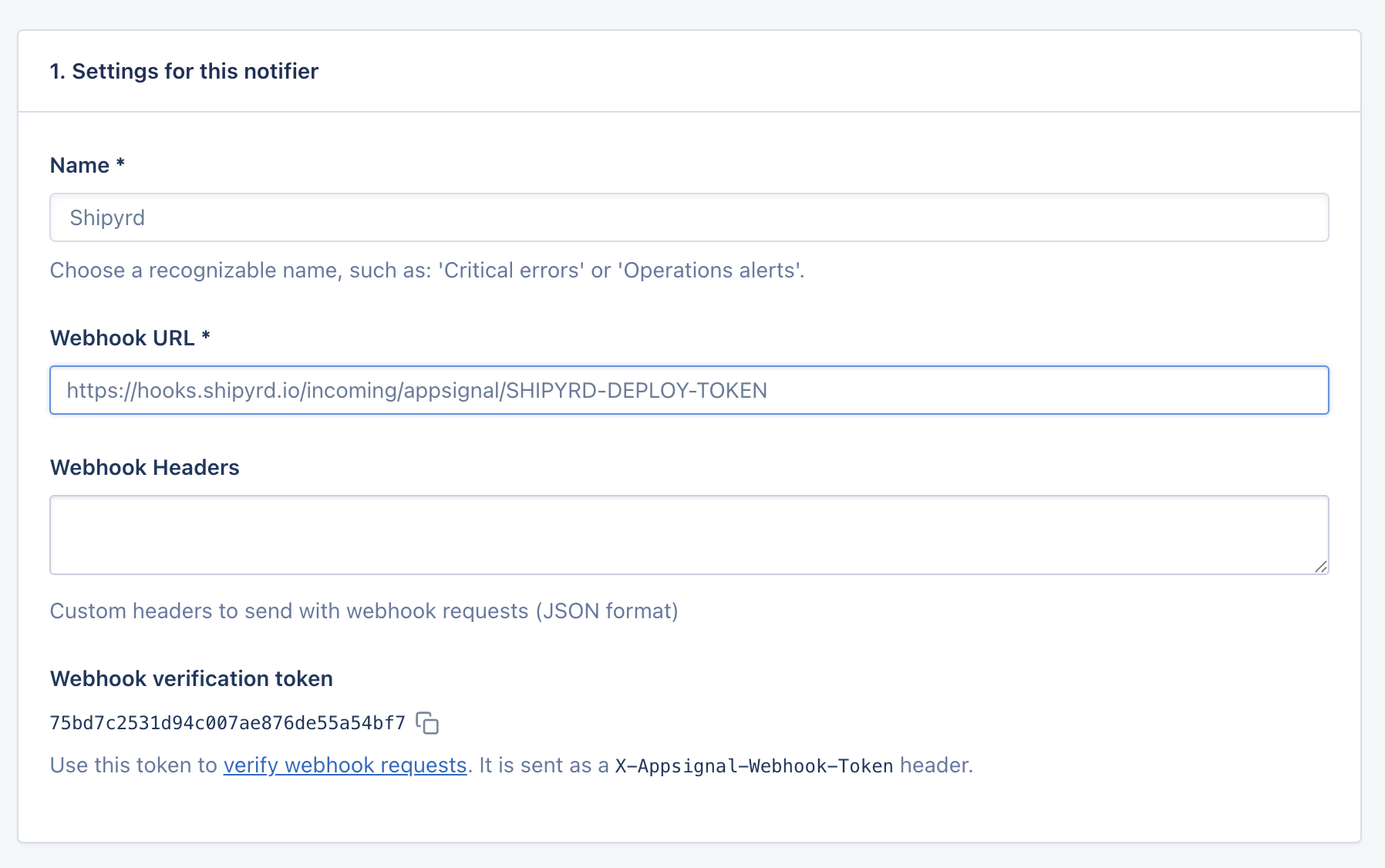
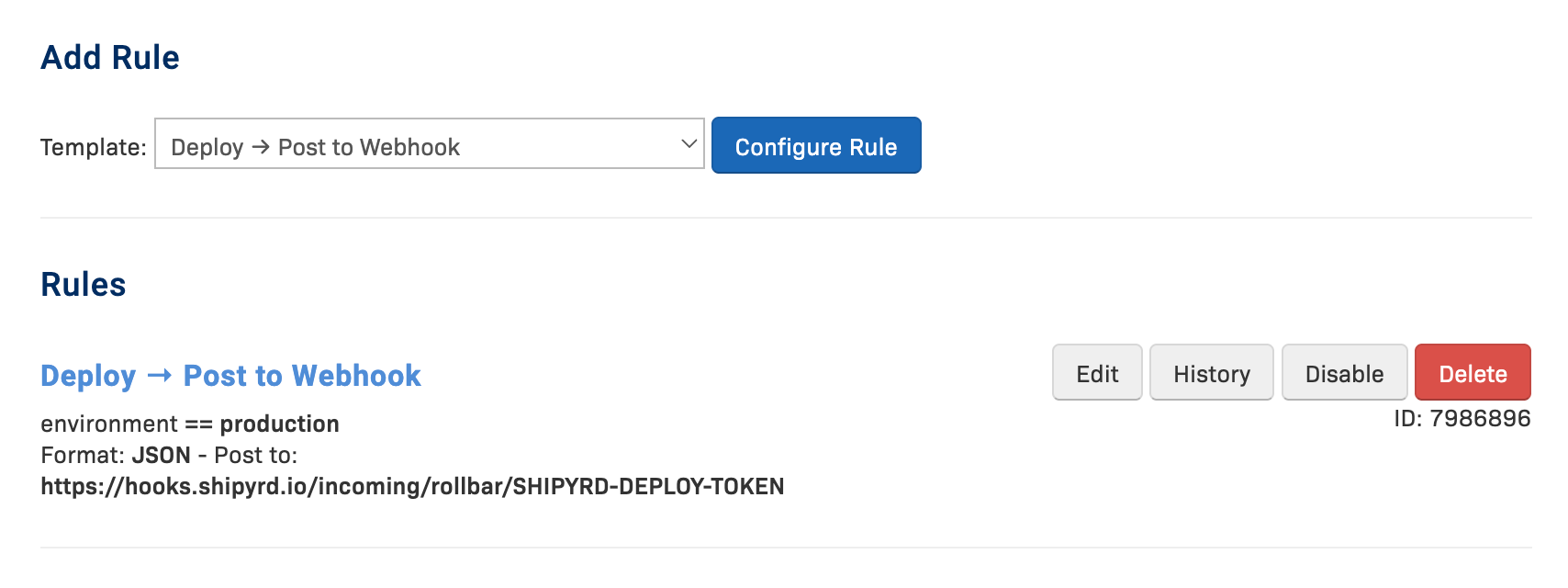
Rollbar: Project Settings → Notifications. Add a rule that fires on deploys and points to your Shipyrd URL.
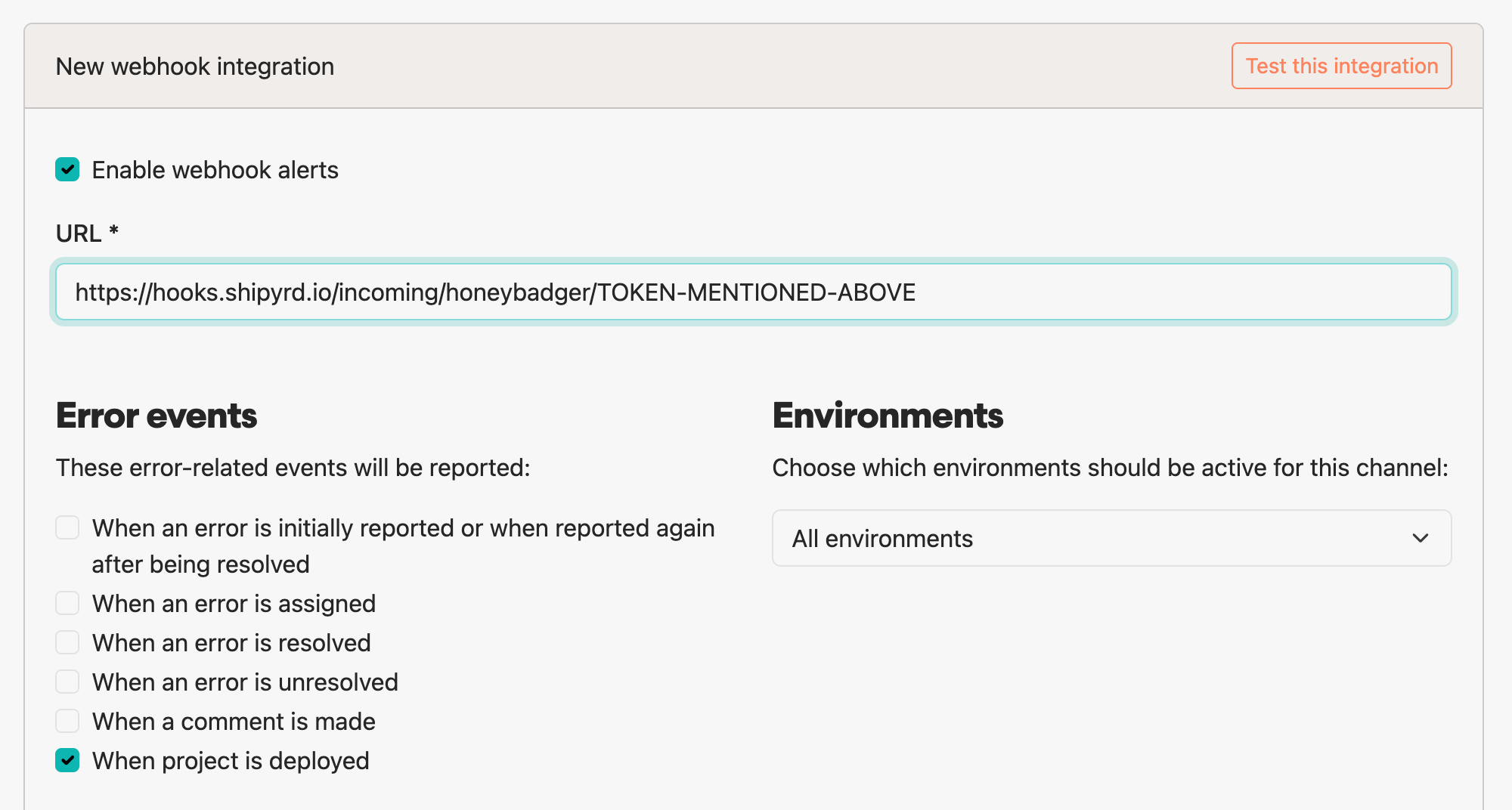
Honeybadger: Settings → Alerts & Integrations → find "Webhook" under "Add a project integration". Paste the URL, check "When project is deployed" under Error Events, and deselect everything else.
Deploy, and it shows up in Shipyrd.
What comes through
All three integrations capture environment, revision, and who deployed. Rollbar also maps its started and succeeded events to Shipyrd's pre-deploy and post-deploy statuses, so you get the full lifecycle with timing — same as a Kamal-native integration.
You also don’t have to utilize any of these platforms; you can continue to use Kamal hooks or just plain old cURL to ping Shipyrd.
Get the latest Shipyrd product updates and announcements in your inbox.