

Blocking your deploys with Shipyrd
When you're using Kamal or really any manual deploy flow it's nice to have a way to claim an environment to let your team know you're using an environment. Maybe you have a handful of staging environments and you need to see which one is available to test your branch out on or prep for QA. Or maybe you need to wait for a migration to complete before you want anyone else to deploy to production.
How do you currently check if an environment is free to deploy to with your team?
Shipyrd now has deploy blocking built in. It's a simple lock on your destinations that prevents anyone other than the person who locked it from deploying.
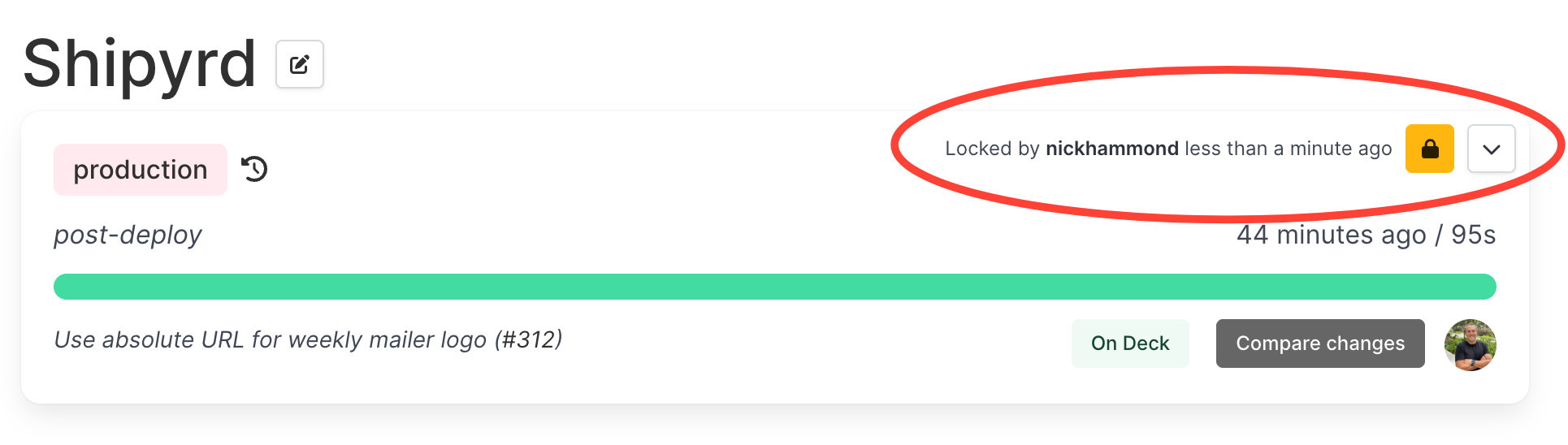
How it works
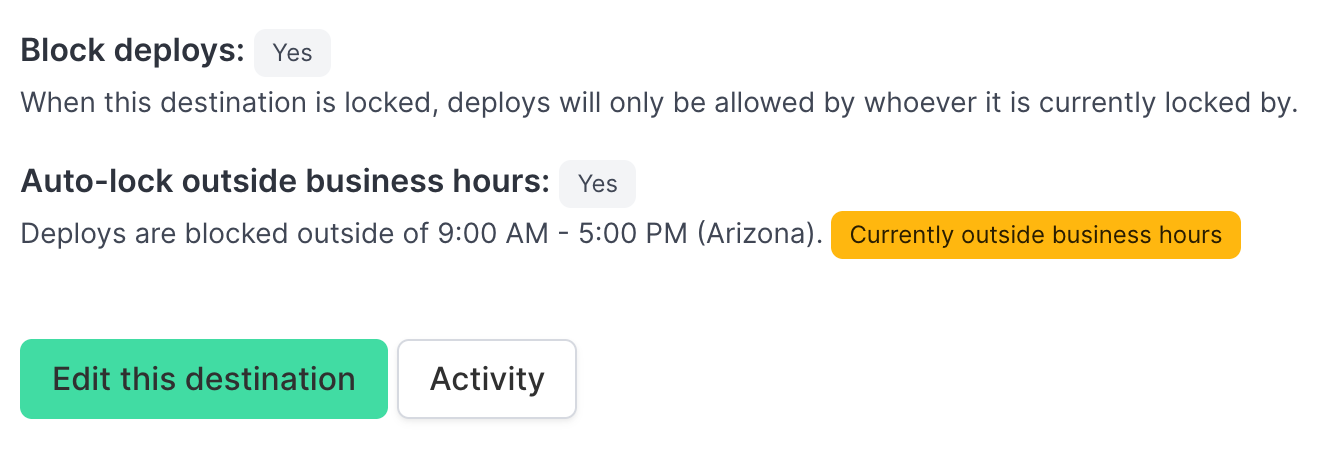
Each destination in Shipyrd (production, staging, etc.) has a Block deploys setting you can enable. Once it's on, any team member can lock a destination. While it's locked, only the person who locked it can deploy to it. If someone else tries to deploy the Kamal pre-deploy hook will fail which stops the deploy from going through.
The lock shows up right on your dashboard — who locked it and how long ago. Anyone on the team can unlock it too, so you're not stuck waiting for someone to come back online if plans change.
Auto-lock outside business hours
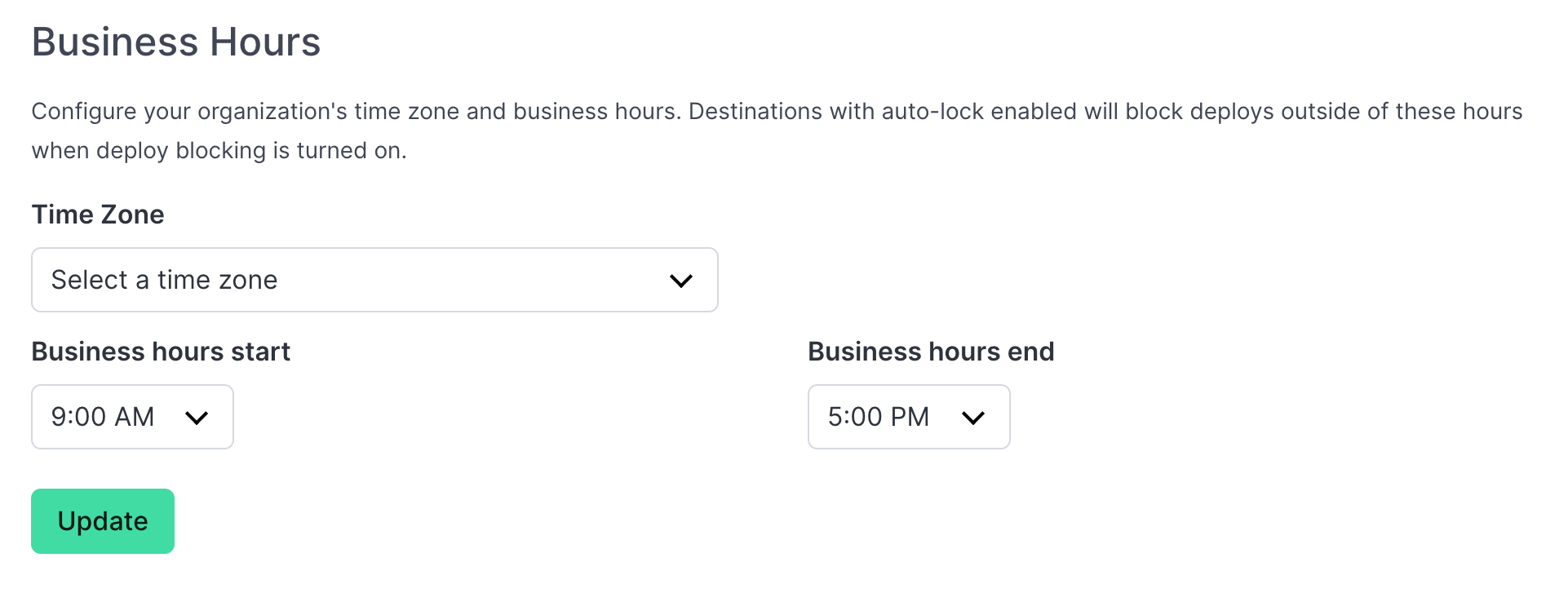
Another way to block deploys is to tie it to your working hours. You can set your organization's working hours and time zone, then enable Auto-lock outside business hours on any destination. Shipyrd will automatically block deploys outside that window in the pre-deploy hook.
If someone tries to deploy at 2 AM, it just gets blocked. Shipyrd indicates that the lock is automatic and not a manual lock from a teammate, so nobody is chasing down who locked production.
The lock badge
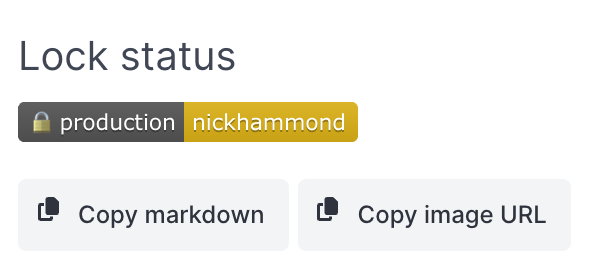
With this release there’s also a new lock badge that you can add to your README or internal wiki. The lock is a quick reference for if a destination is locked or unlocked and if it’s locked who locked it.
When this is useful
Multi-step deploys. If you're running a migration or a deploy that requires some coordination, lock the destination first. No one else ships to it while you're in the middle of things.
Weekend and off-hours protection. Lock production before the weekend. If something urgent needs to go out, the on-call engineer can unlock, deploy, and re-lock. But accidental deploys won't slip through.
Shared staging environments. When multiple people use the same staging destination for testing, locking prevents one person's deploy from blowing away another's changes.
Compliance and change windows. For teams with requirements around when changes can go out, auto-locking gives you a lightweight guardrail that's built into your deploy workflow rather than a policy doc that nobody reads.
Getting it set up
- Go to your destination's settings and enable Block deploys.
- If you want automatic locking, configure your organization's business hours and time zone in your org settings, then flip on Auto-lock outside business hours for the destination.
- Make sure your Kamal hooks include the
pre-connecthook so Shipyrd can check the lock state before a deploy kicks off.
This actually isn't really even Kamal-specific, you can hook this into whatever you're using to deploy as long as you have a place to add a call to Shipyrd for a pre-deploy hook(Shipyrd::Client.new.trigger('pre-deploy')). You can do this with the ruby gem, Honeybadger, or plain cURL.
Get the latest Shipyrd product updates and announcements in your inbox.